Review of Coco (2017) by Alfred G — 13 Feb 2018
TV Picture Mode settings for the Best Movie Ever Made.
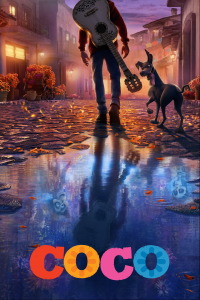
I just watched the iTunes Digital HD version of Coco thru my AppleTV (4th gen) on a 48" 1080p Visio TV. I played with the picture settings and got pretty good results, so I want to share them. WHY THIS IS IMPORTANT-- The craftsmanship of the animation in Coco is astonishing. I fell in love with the A++ story, the symbolism, the dialog, the music, the cultural enlightenment (for me, anyway), and topping it off the animation. I am addicted. I saw Coco in the theater 20 times (3 in 3D) and each time I appreciated the workmanship in new ways: the entire topography of both worlds and how they moved in the background; reflections off wood, metal, and glass surfaces; scratches on guitar fingerboards; Miguel's hair; hundreds of different clothing outfits, with remarkably realistic textures; and on and on. I cannot name any movie of any kind that shows more effort in the making, and at the same time is so enjoyable. SO-I was worried that the home video versions would not do justice. But I was able to see most of what I saw at the theater - and I even continued to see even a lot more at home. This might be because my settings are a little bit lighter than the theater, so many background objects and other details were more visible. I am no expert, and I am hoping a few will offer better settings. But if you are not happy with your picture, I offer the following for your consideration. On Visio I had best luck with Picture Mode "Calibrated" which was: Backlight 100; Brightness 50; Contrast 80; Color 50; Tint 0; and Sharpness 50. I preferred Auto Brightness = Off.
This review of Coco (2017) was written by Alfred G on 13 Feb 2018.
Coco has generally received very positive reviews.
Was this review helpful?